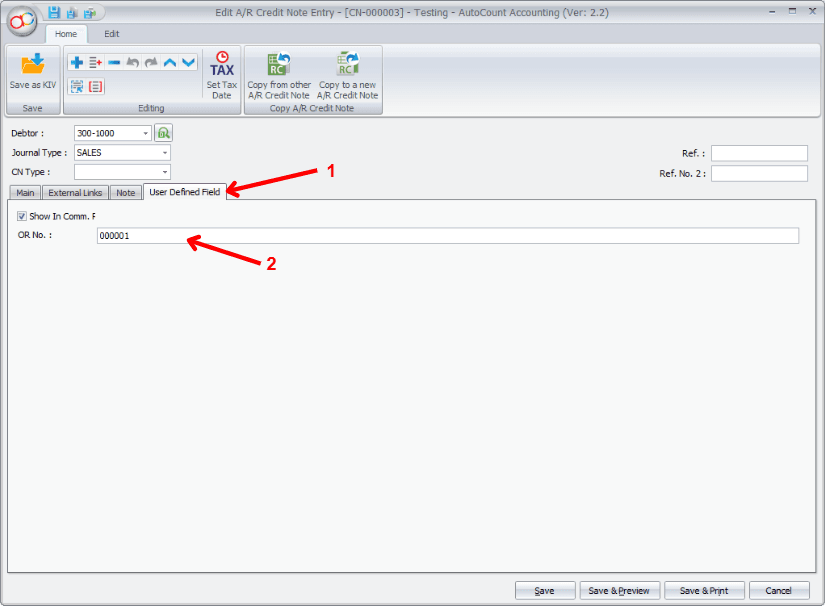
Main Page → Sales Commission Report
After installing the plug-in, re-open Autocount Accounting; you'll see a new button on the tab above.
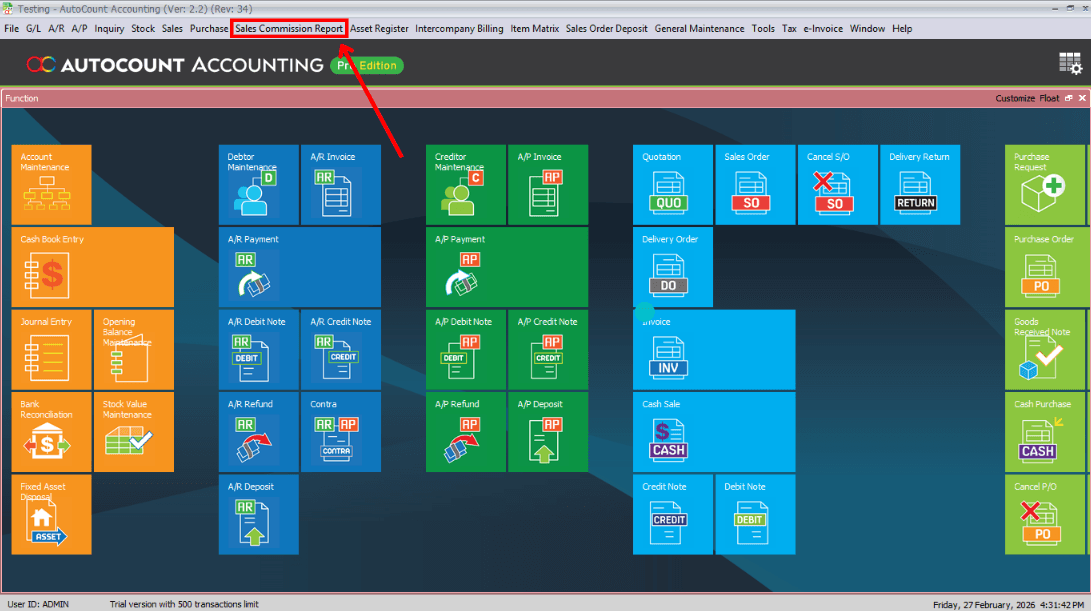

Function & Features
After installing the plug-in, re-open Autocount Accounting; you'll see a new button on the tab above.
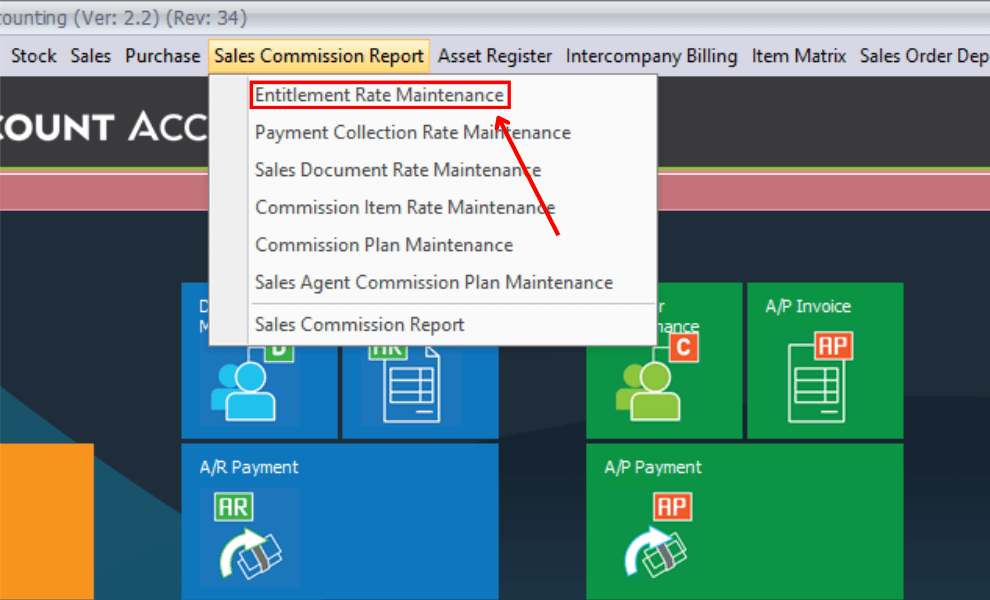
Entitlement Rate means the commission rate is to be based on the sales amount achieved either monthly, quarterly or yearly.
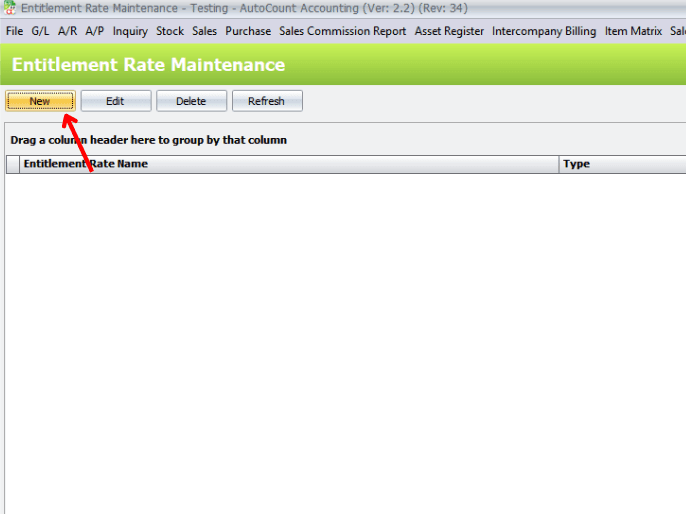
To add a new entitlement rate, click on New button
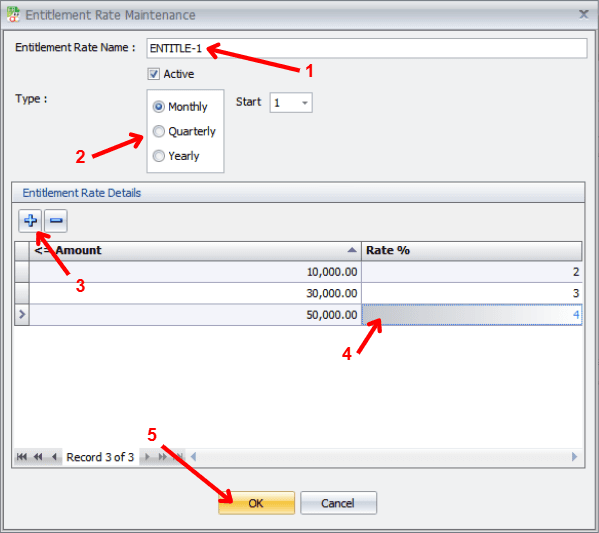
Note: The entitlement rate (%) can also be set from 0% to 100% when it is used together with Document Rate or Item Rate to form a commission plan. For example, for amount ≤ 100000 the entitlement is 100% (meaning 100% of the Document rate or Item rate), and for amount ≤ 75000 the entitlement can be 80%, and so forth.
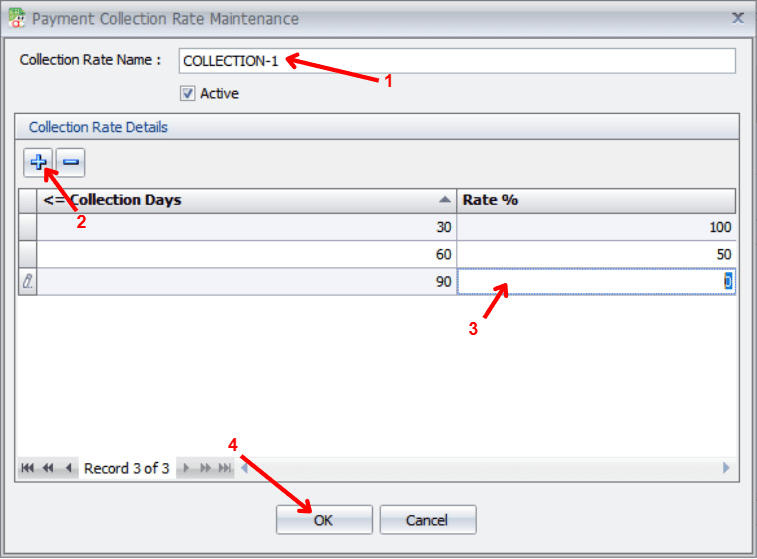
Payment Collection Rate means the commission rate is to be based on the collection of the earlier issued invoices; basically the shorter the collection period the higher the commission rate.
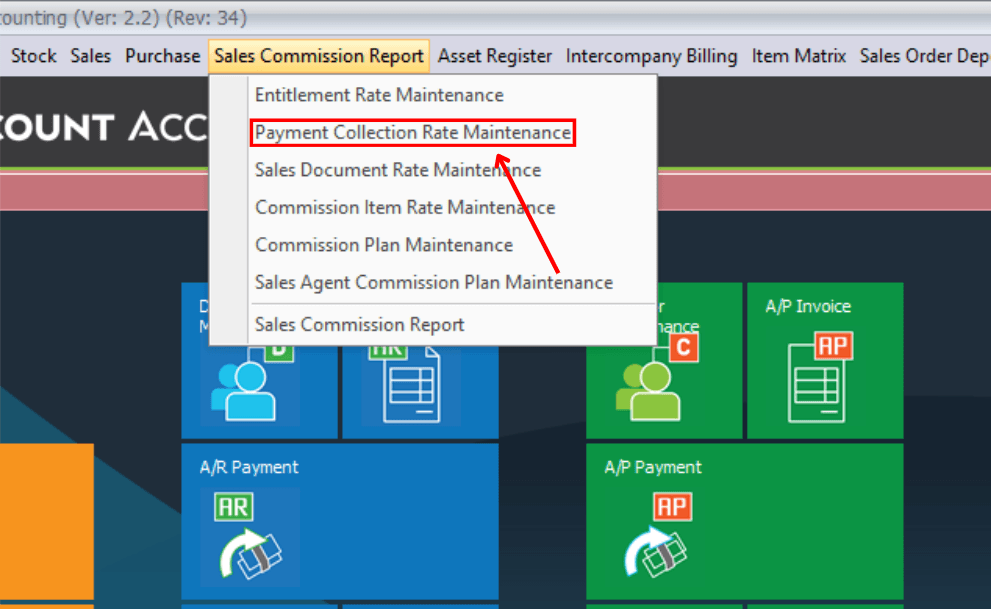
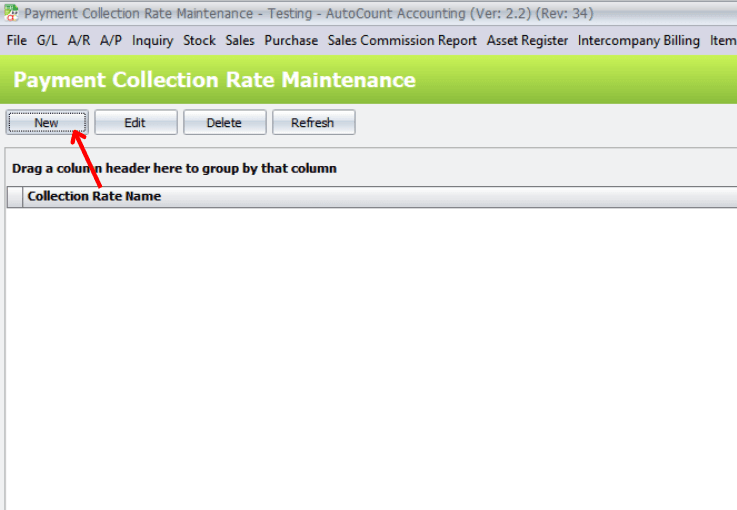
To add a new payment collection rate scheme, click on the New button.
Create a new rule that links commission percentage to payment collection period (e.g., within 30 days = higher commission).
John is entitled to a 3% commission on his January sales of 20,000.
Sales Document Rate means the commission rate is to be based on the total amount of each sales document (e.g. Invoice, Cash Sale...).
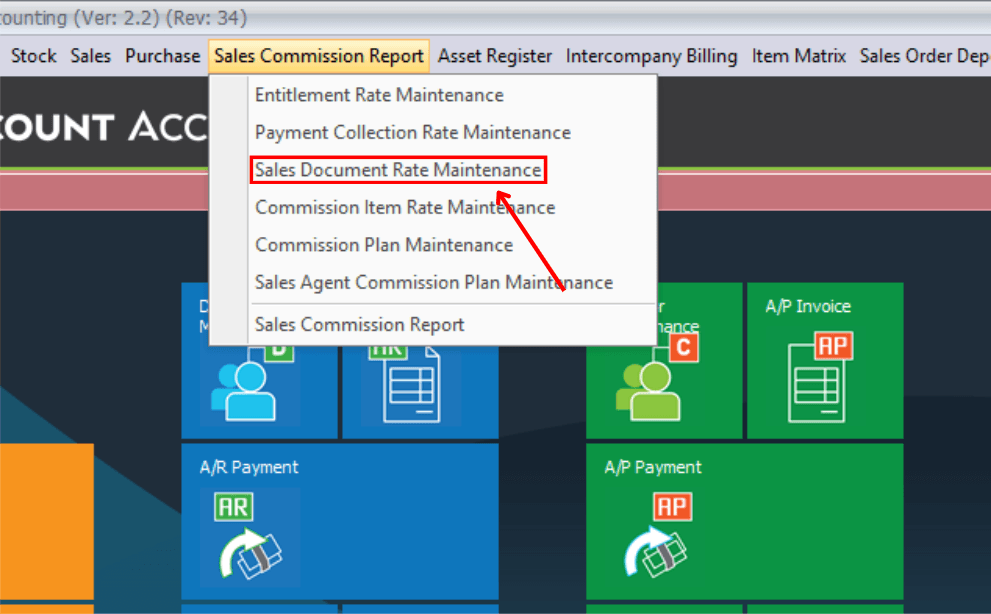
To add a new payment collection rate scheme, click on "New" button.
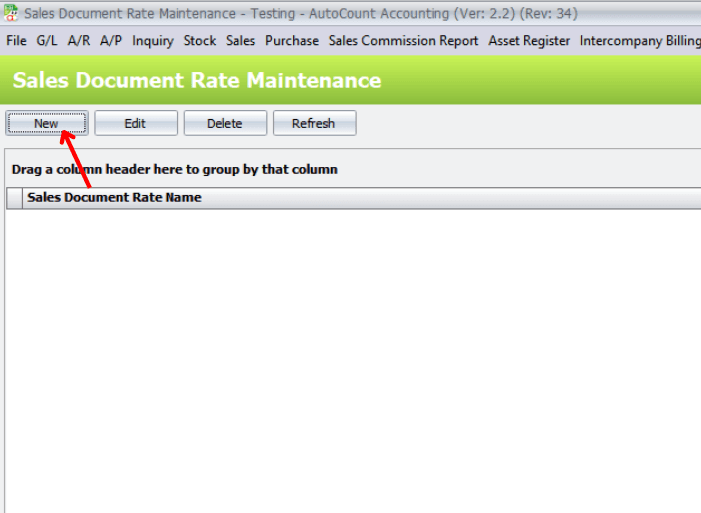
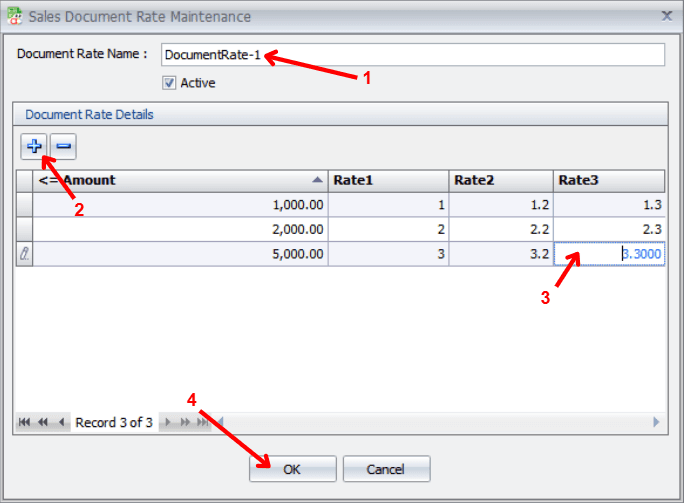
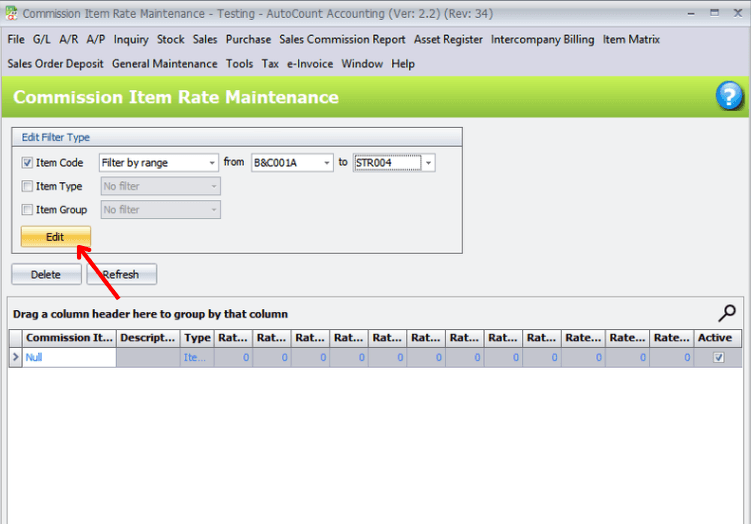
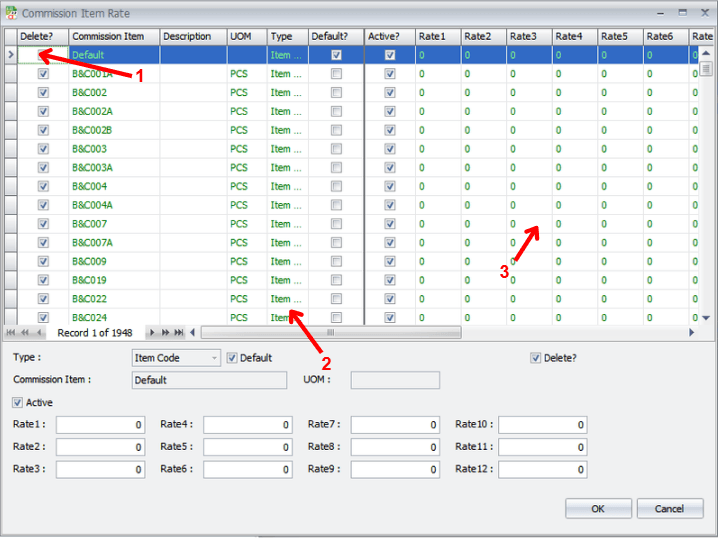
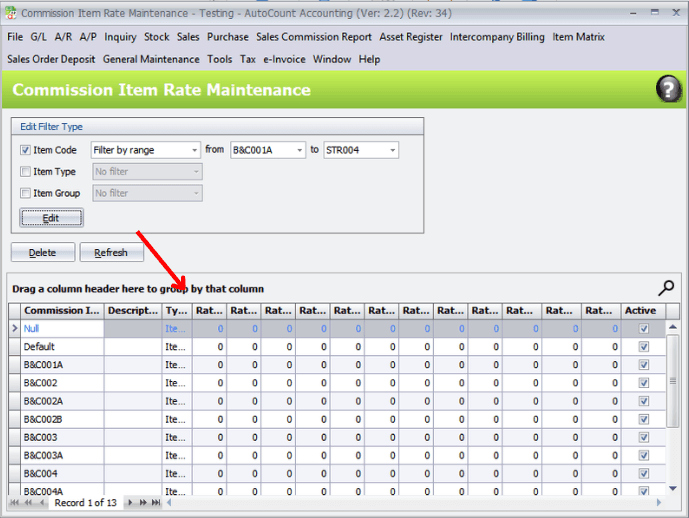
Commission Item Rate means the commission rate is to be based on the sales of individual items. This means each item may have different rates of commission.
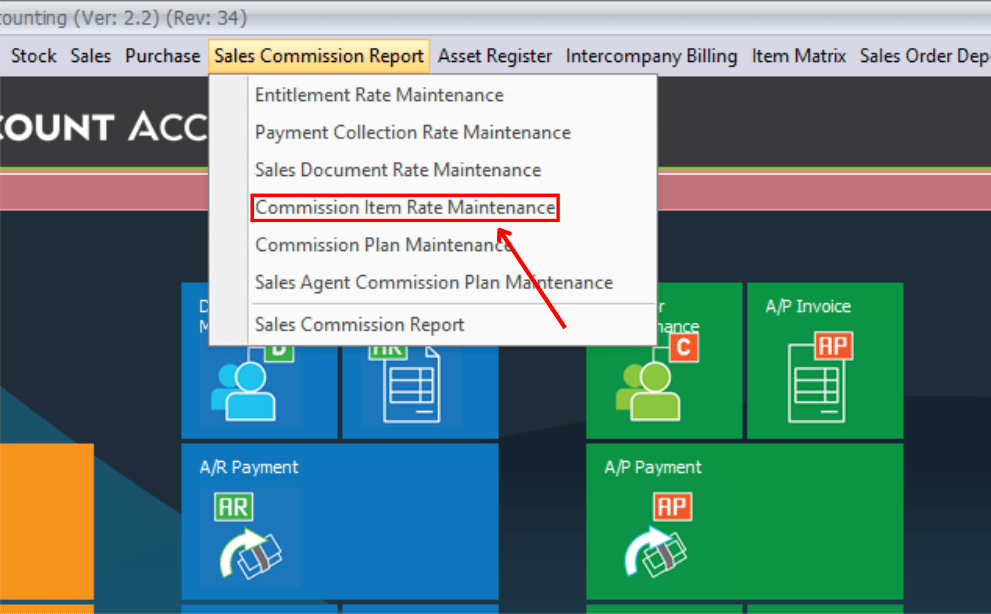
Click on Edit.
Modify commission percentage or rules for a selected item.
Displays calculated commission results based on defined rules and transactions.
Commission Plan Maintenance is the most important part of this commission Plug-Ins. Here you may maintain several commission plans to calculate commission in different combinations for various type of sales agents.
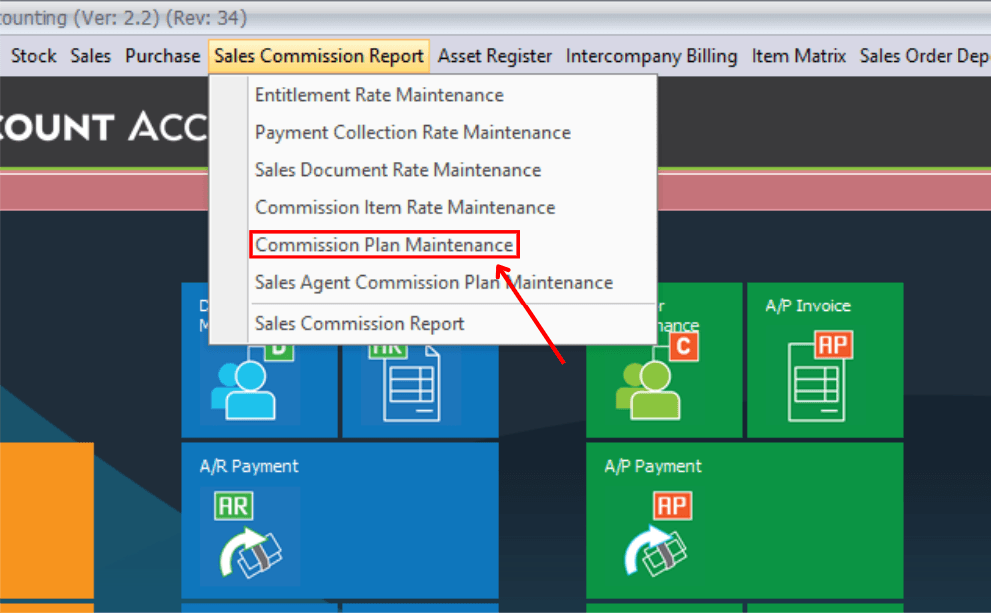
To add a new commission plan, click on New button.
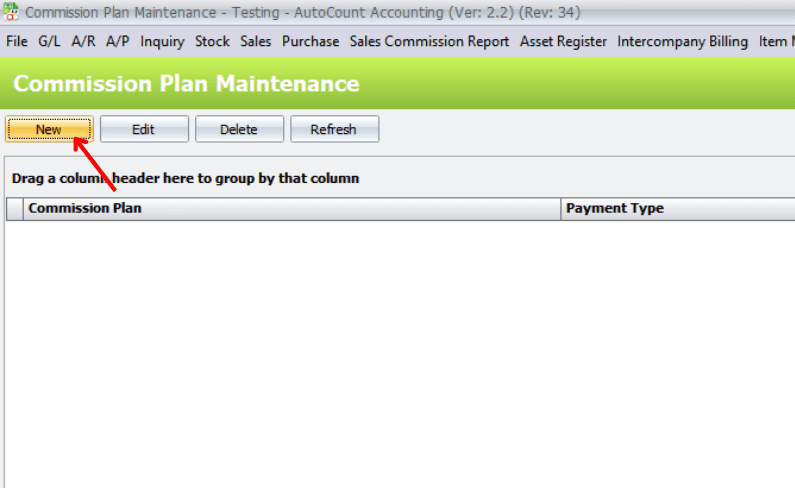
Create a new commission structure by combining entitlement rate, item rate, document rate, and collection rate.
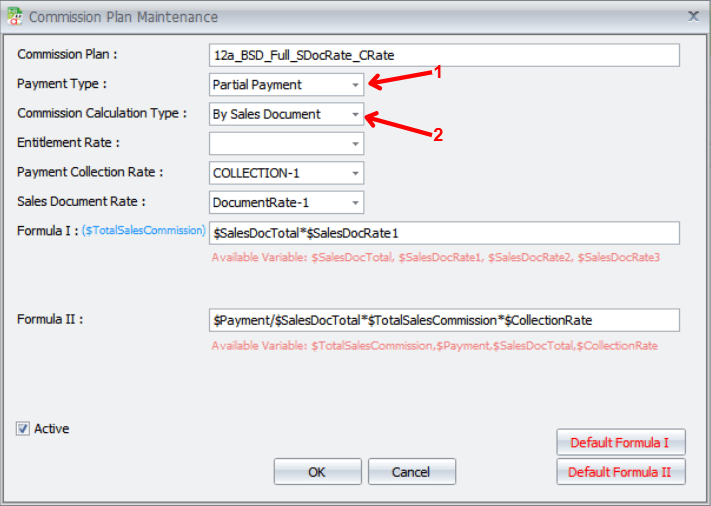
Step 1: choose the Commission Calculation Type (then decide on the combination option) - this will determine Formula 1
Step 2: pick a Payment Type (then decide on the option) - this will determine Formula 2
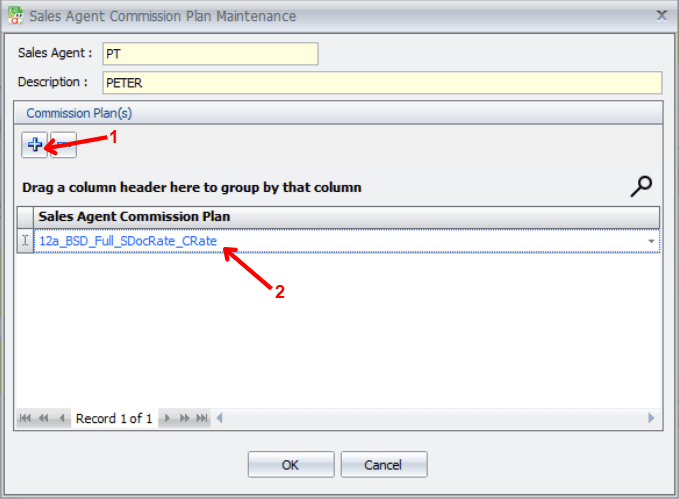
Sales Agent Commission Plan Maintenance is used to assign commission plan(s) to each sales agent.
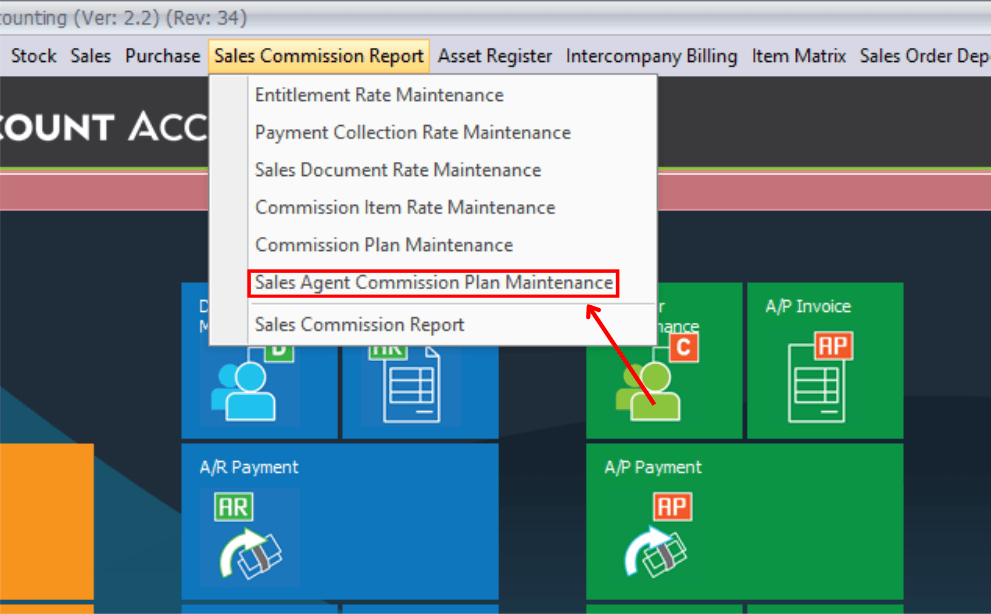
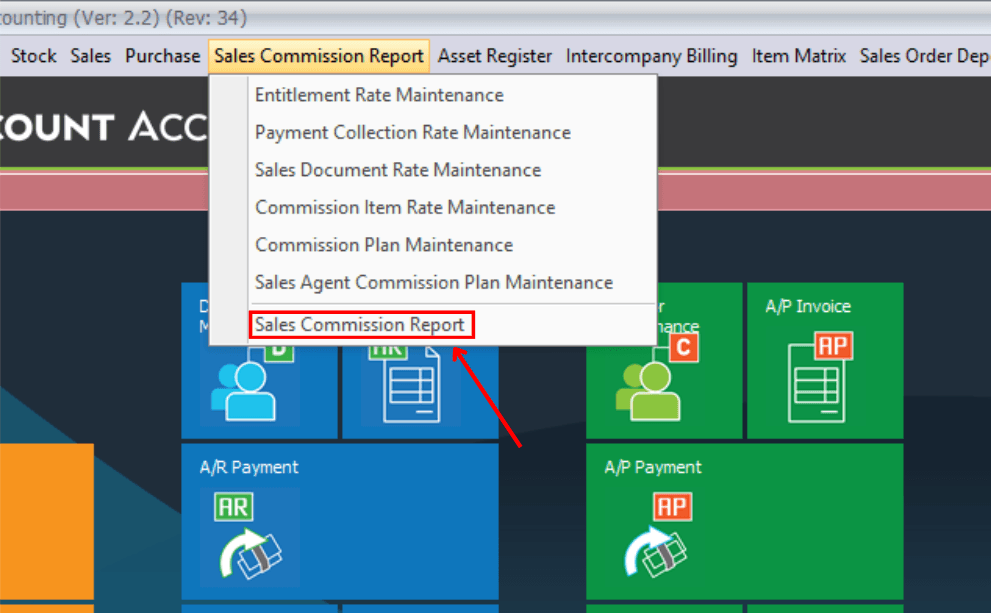
Report showing commission earned by each sales agent.
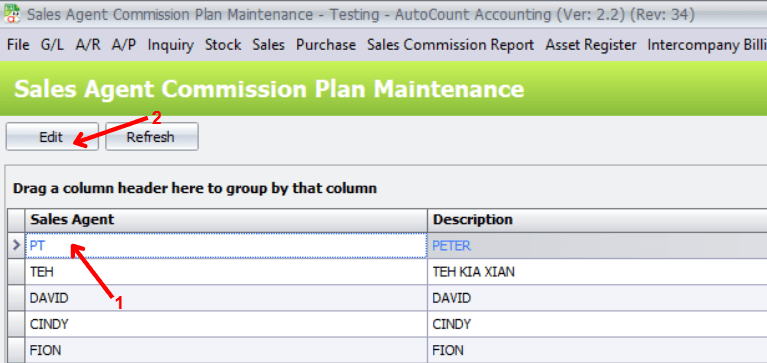
Assign or modify the commission plan for a sales agent.
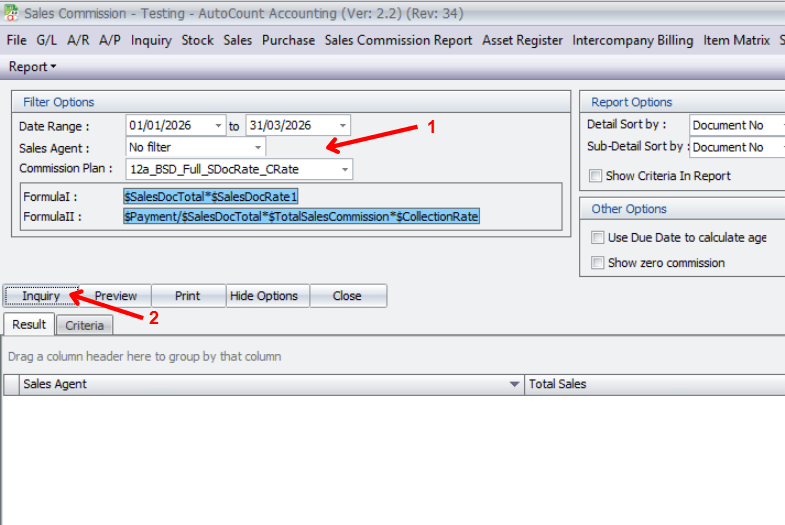
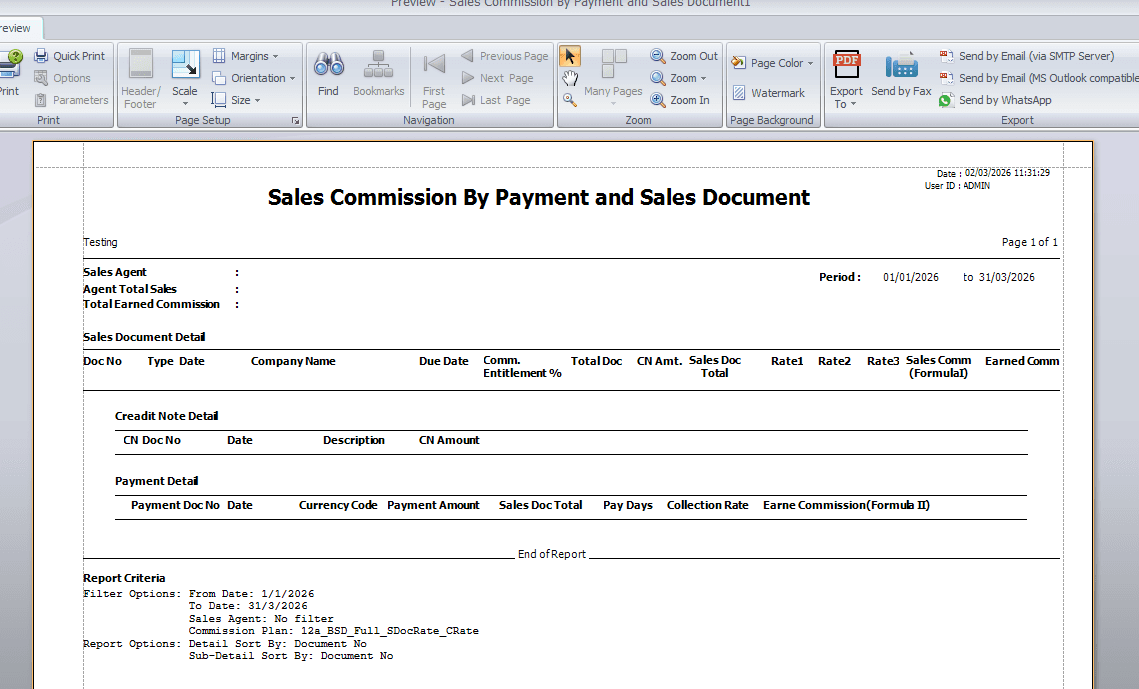
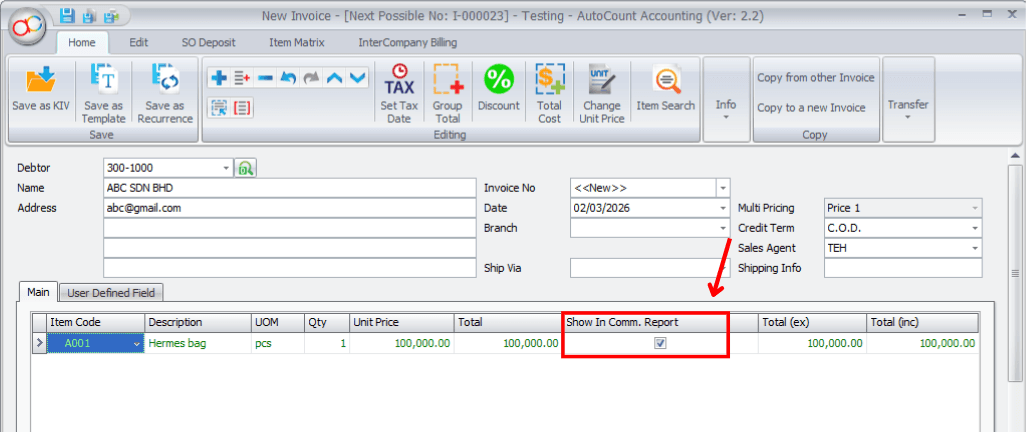
Sales Commission Report provides details of commission entitled and earned. Before viewing this report, you need to add a few invoices or A/R Payment Received that contribute to commission calculation.
Allows users to check commission details before final confirmation.
Preview the commission report before printing or exporting.
Creating a sales invoice which contributes to commission calculation.
Sales credit note that reduces commission due to sales returns or adjustments.
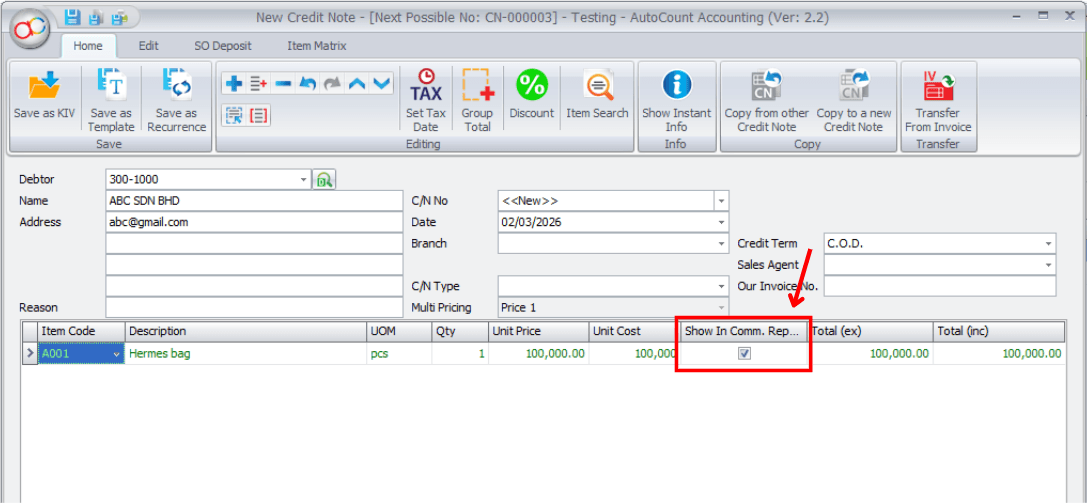
Accounts Receivable credit note that adjusts outstanding balances and may affect commission calculation.