The Item Matrix Plug-In allows multiple units of SKUs to be managed under one parent item code using Column Maintenance and Row Maintenance.
Function & Features
●Enter multiple size / colour combinations in one single screen
●Excel-like matrix layout for quick quantity input
●No need to add items line by line
●Significantly improves sales entry speed
Step-by-step Implementation
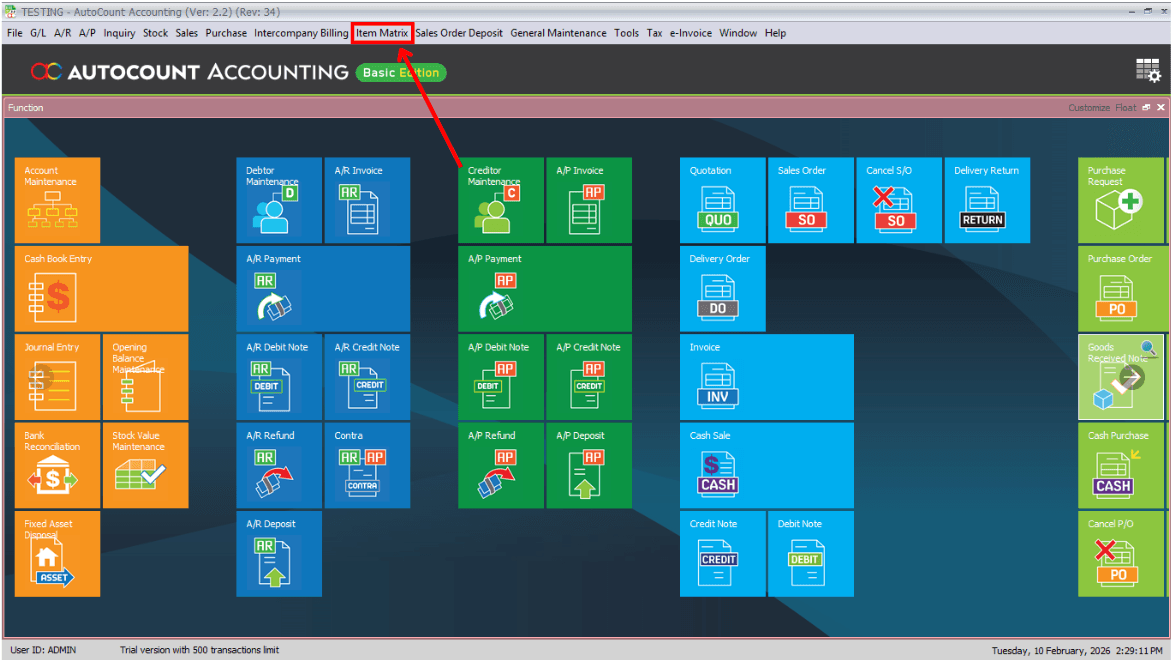
Main Page → Item Matrix
After installing the plug-in, re-open Autocount Accounting; you'll see a new button on the tab above.
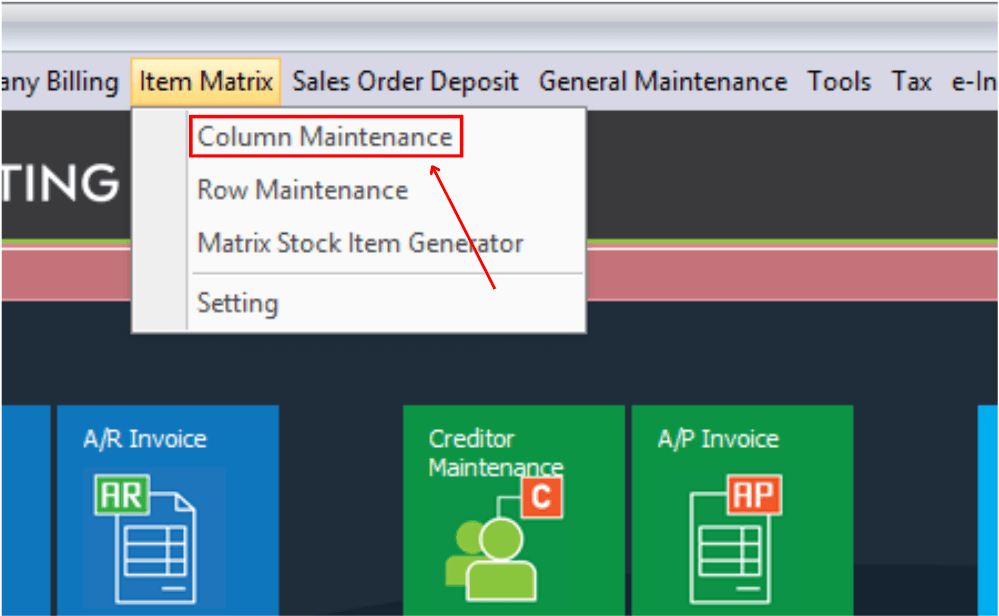
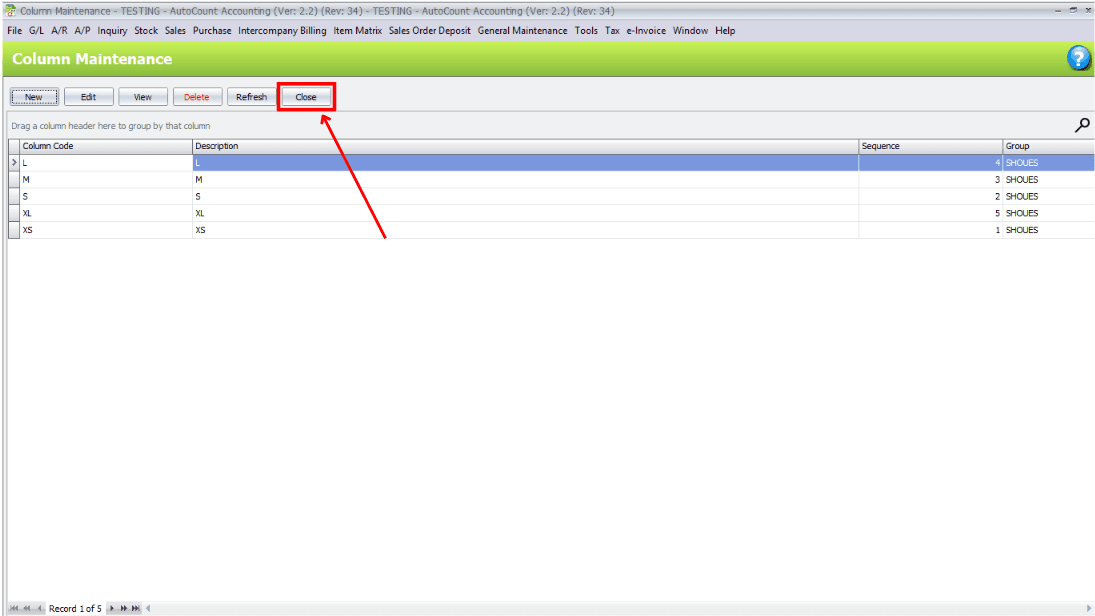
Column Maintenance
Click "Item Matrix", then select "Column Maintenance".
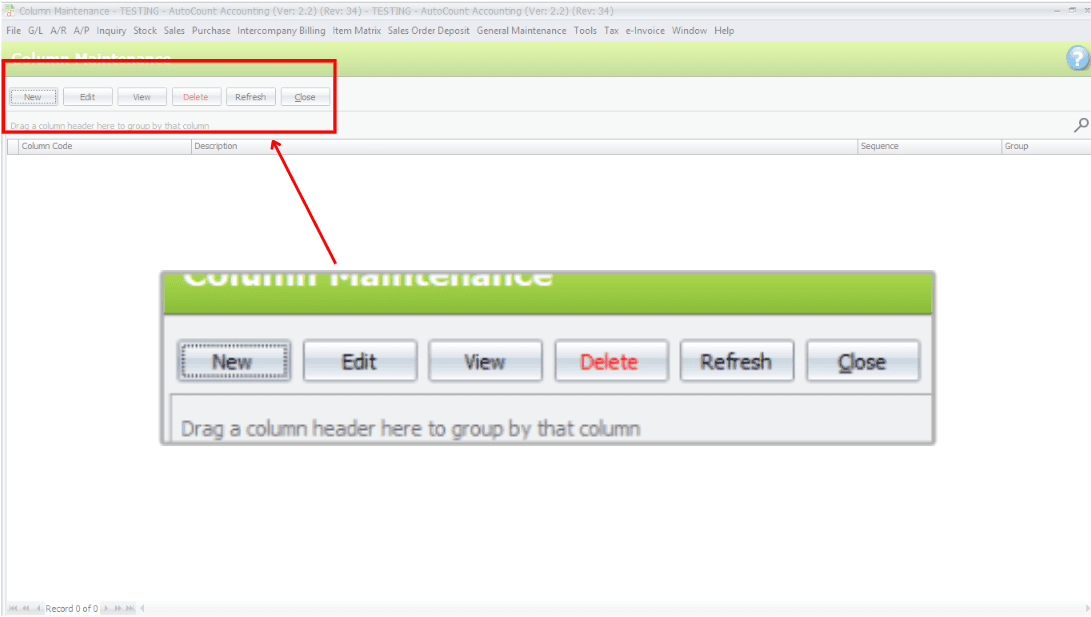
Commands — New, Edit, View, Delete, Refresh
New: Create a New Column Code
Edit: Allows editing of selected column code details. Can only edit Description, Report Sequence and Group. Column Code itself cannot be changed.
View: Display the details of the selected column code.
Delete: Removes the selected column code from the system.
Refresh: Reloads the screen and updates the list to show the latest data.
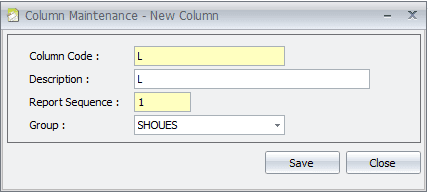
Create a New Column
Column Code: key in your own column code. (colour, size, article number…)
Description: use to describe your column code.
Report Sequence: Select the report to be displayed in numbering sequence. The system will show column codes in numerical order based on this sequence.
Group: Use to categorise multiple column codes into a group. For first time, user must enter a group name to group related column codes together. This helps users filter data more easily and view related items together in reports.
Fill In Details
After key in the details, click "Close" button to close the tab.
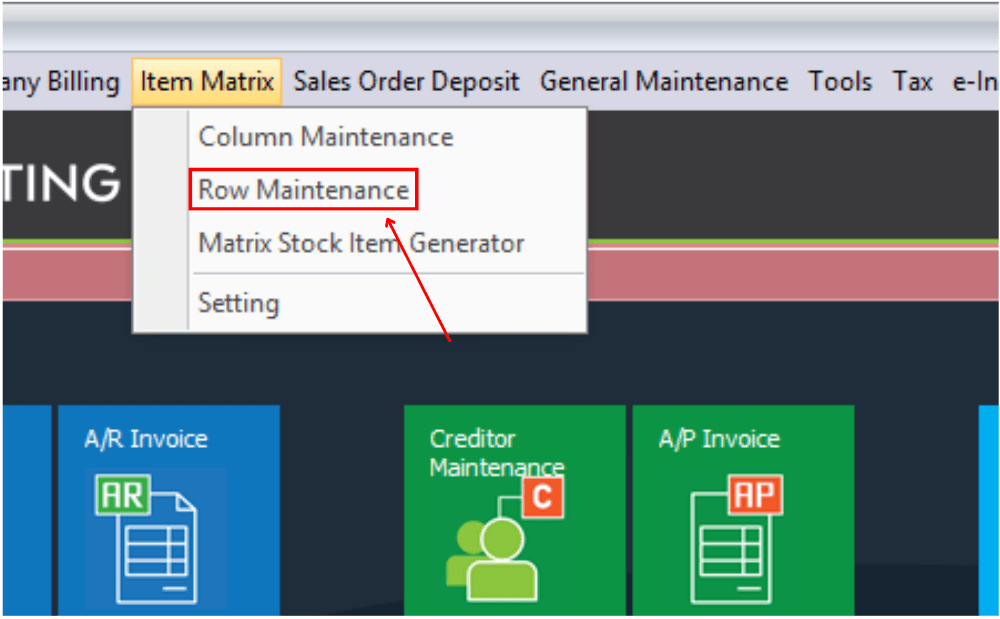
Row Maintenance
Click "Item Matrix", then select "Row Maintenance".
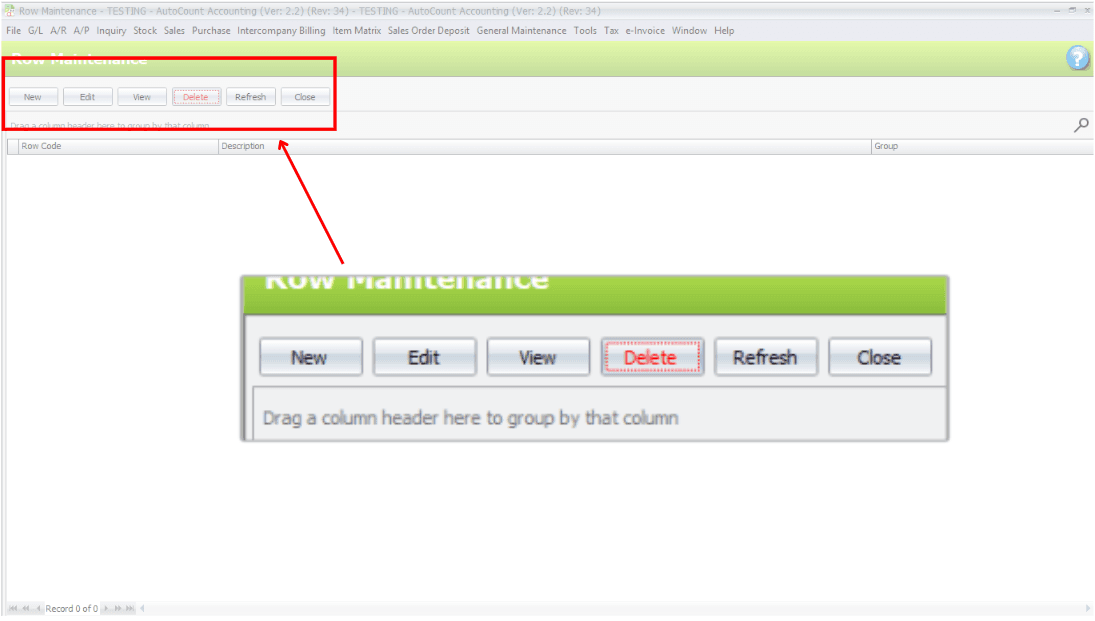
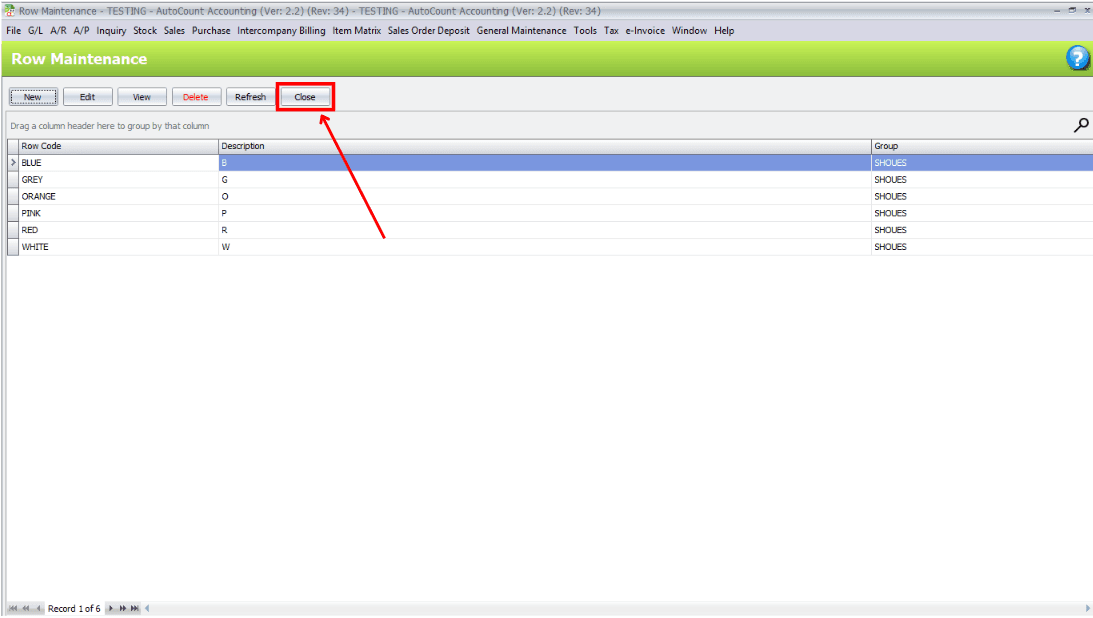
Commands — New, Edit, View, Delete, Refresh
New: Create a New Row Code
Edit: Allows editing of selected row code details. Can only edit Description, Report Sequence and Group. Row Code itself cannot be changed.
View: Display the details of the selected row code.
Delete: Removes the selected row code from the system.
Refresh: Reloads the screen and updates the list to show the latest data.
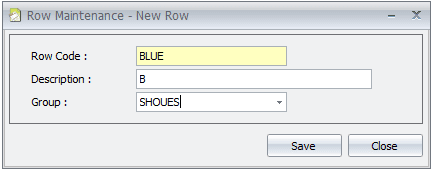
Create a New Row
Row Code: key in your own row code. (colour, size, article number…)
Description: use to describe your row code.
Report Sequence: Select the report to be displayed in numbering sequence. The system will show row codes in numerical order based on this sequence.
Group: Use to categorise multiple row codes into a group. For first time, user must enter a group name to group related row codes together. This helps users filter data more easily and view related items together in reports.
Fill In Details
After key in the details, click "Close" button to close the tab.
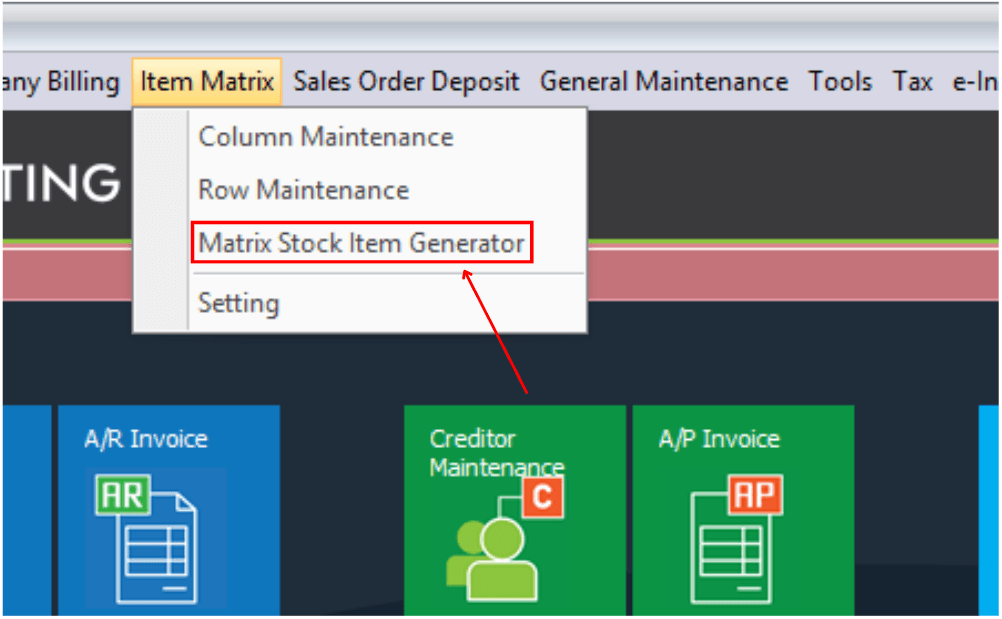
Matrix Stock Item Generator
Click "Item Matrix", then select "Matrix Stock Item Generator"
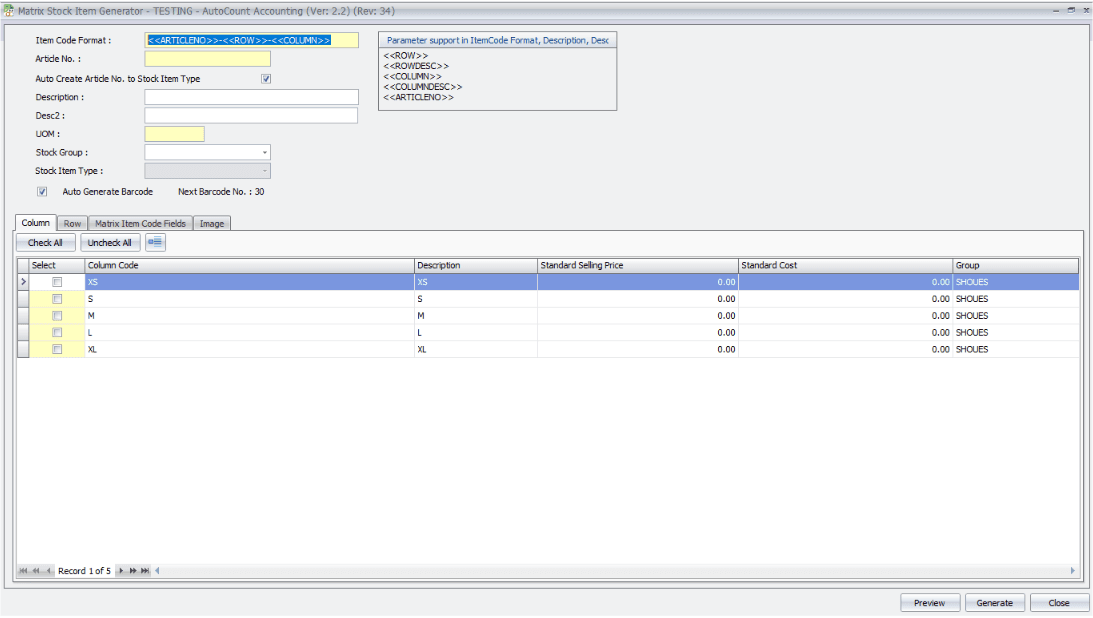
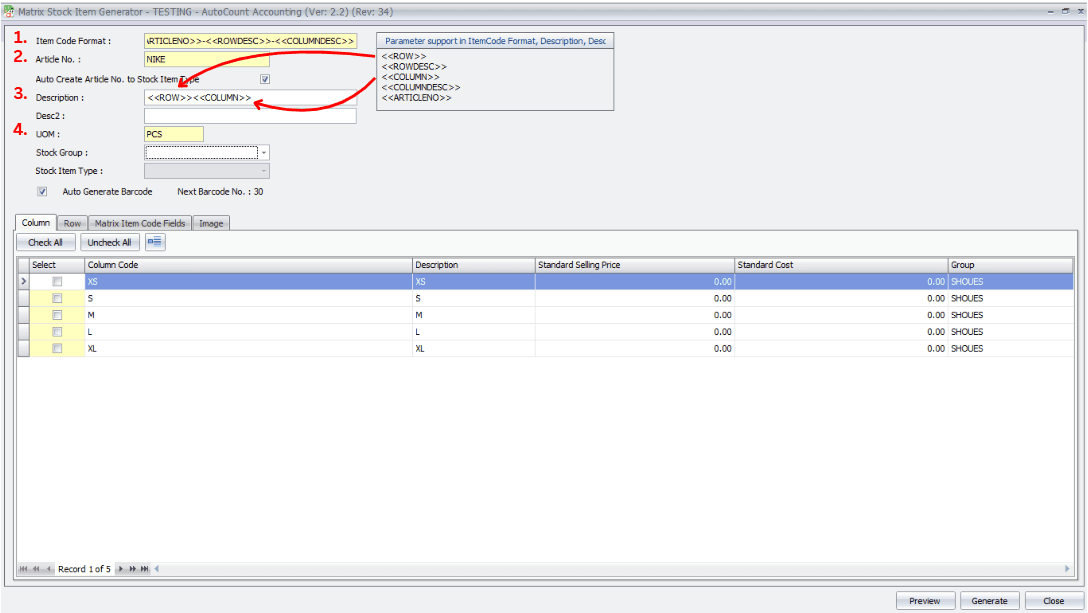
Item Code Format
This is a system-prepared format used to generate item codes. You may re-arrange / customise the format based on your requirement.
Fill In the Detail.
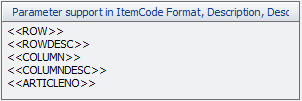
Parameters
The formula can be built using 5 Predefined Parameters (Row, Column, Article No.). These parameters are also supported in Description and Desc2 (ensures item codes and descriptions are consistent and structured).
Article No.: Enter your Article Number. It can be your product code or any reference number used internally.
Auto Create Article No. to Stock Item Type:
If checked: The Stock Item Type will automatically be the same as Article Number.
If left unchecked: You may manually key in a different Stock Item Type.
Description & Desc2: You can predefine parameters (same as Item Code Format). E.g.: <<ROWDESC>> XXX <<COLUMNDESC>> → “RED XXX 35”.
UOM: Enter your preferred UOM Code (Unit, Pcs, Box, Ctn).
Stock Group: Select a Stock Group from the system. Stock Groups are maintained under Stock Group Maintenance; used for reporting and categorisation.
Stock Item Type: Auto filled if Auto Create Article No. to Stock Item Type is enabled; otherwise manually entered.
Barcode Settings:
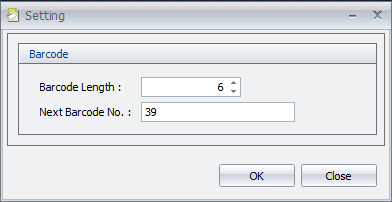
Auto Generate Barcode: If enabled, system automatically generates barcode numbers.
Next Barcode No.: If Auto Generate Barcode is enabled this field is disabled and barcode follows the running number present in Settings. If disabled, Next Barcode No. will not appear.
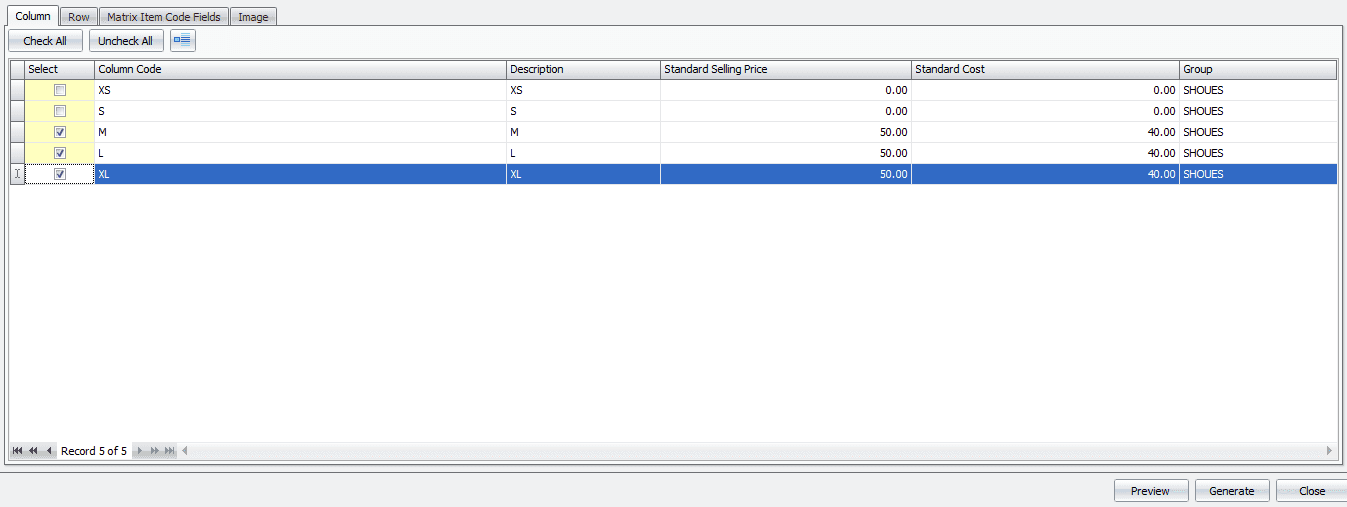
Column Tab
Select which Column Codes (e.g. Size) you want to generate.
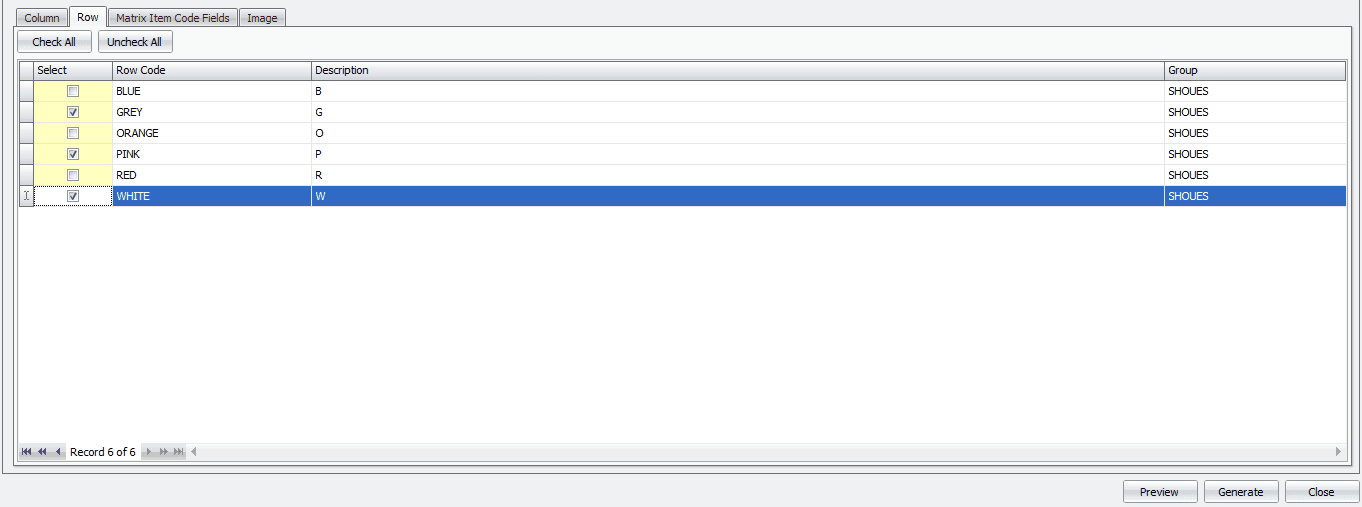
Row Tab
Select which Row Codes (e.g. Colour) you want to generate.
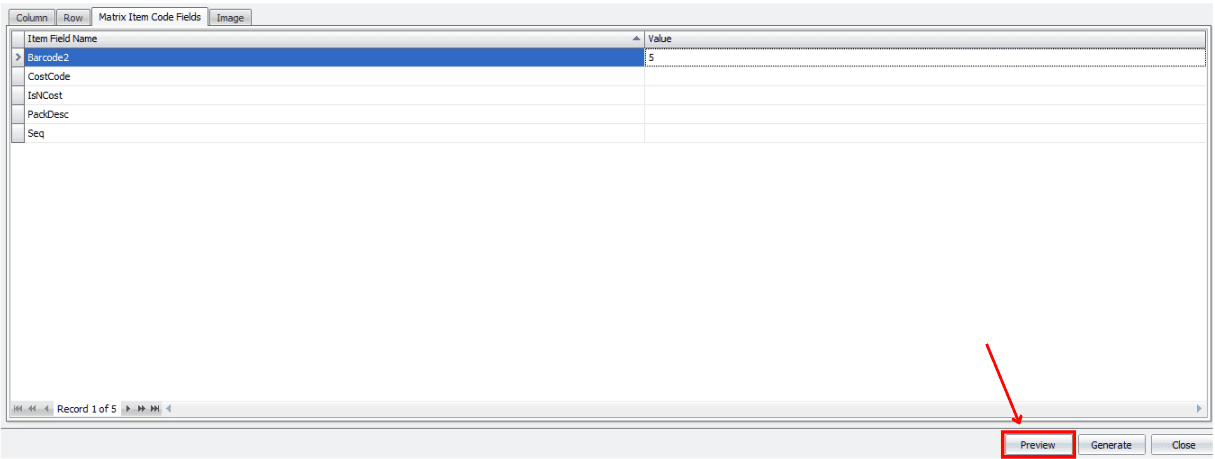
Matrix Item Code Fields Tab
These are user-defined fields. They appear automatically and you may key in any required values (cost, price, attributes).
Preview Matrix Items
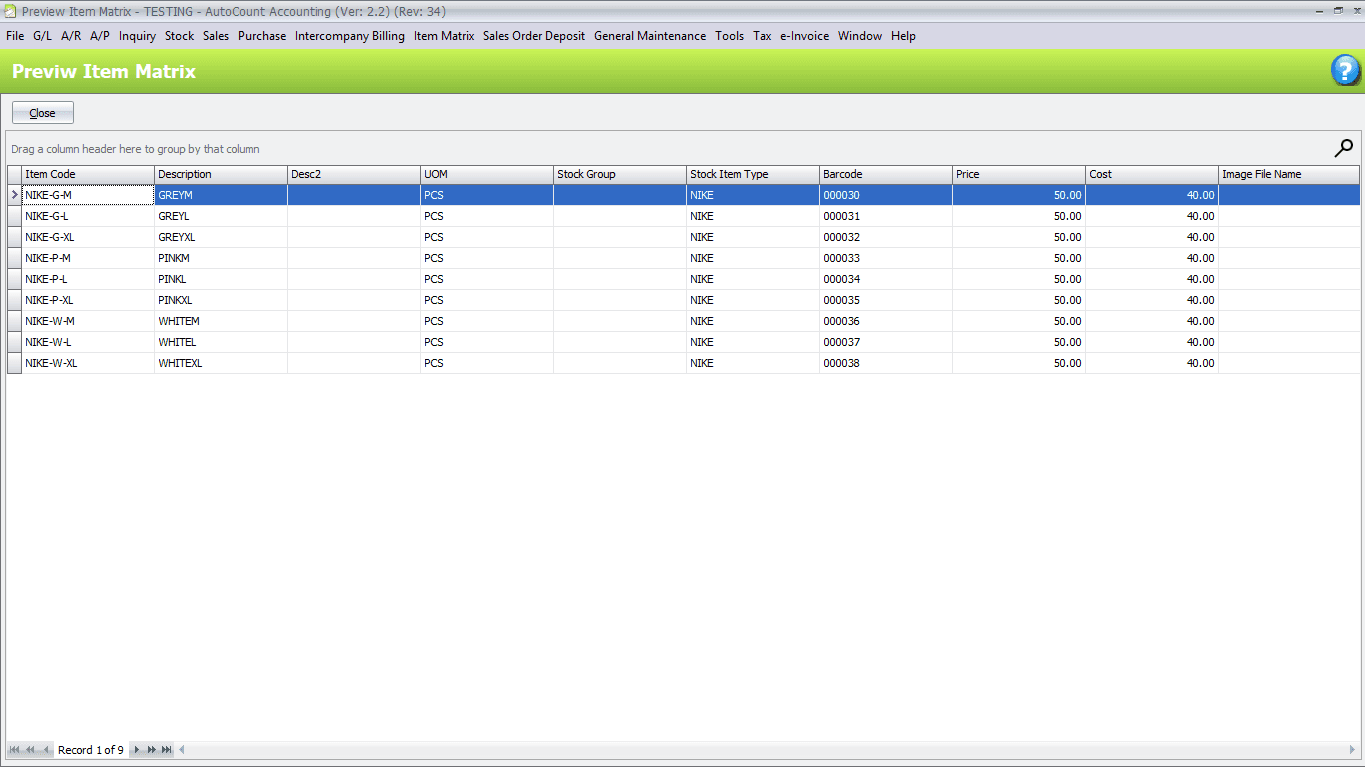
Click “Preview”. System shows all generated combinations before creation.
Example of generated matrix items:
Item Code: <<ROW>><<COLUMN>>
Description: GREYM
Stock Item Type: NIKE
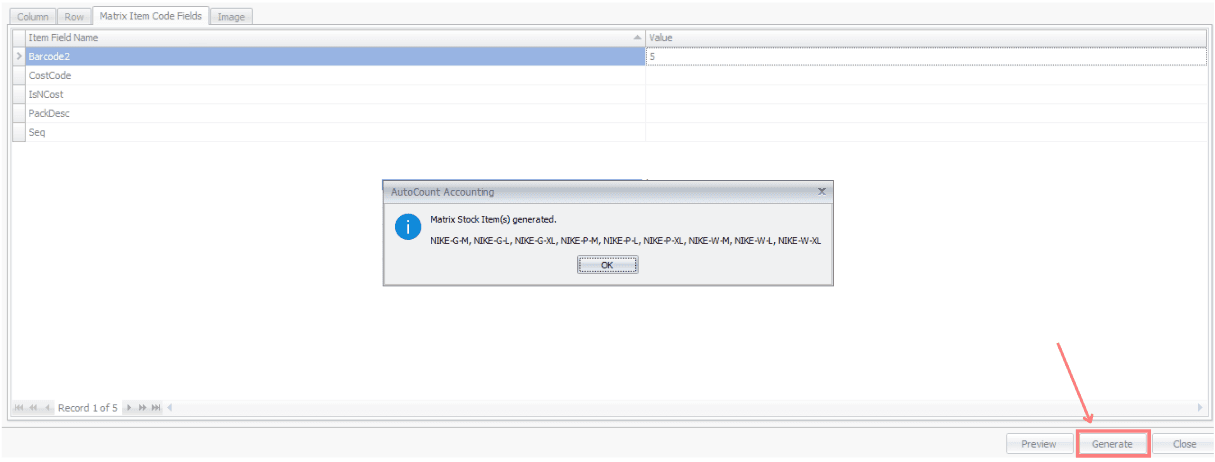
Generate Matrix Stock Items
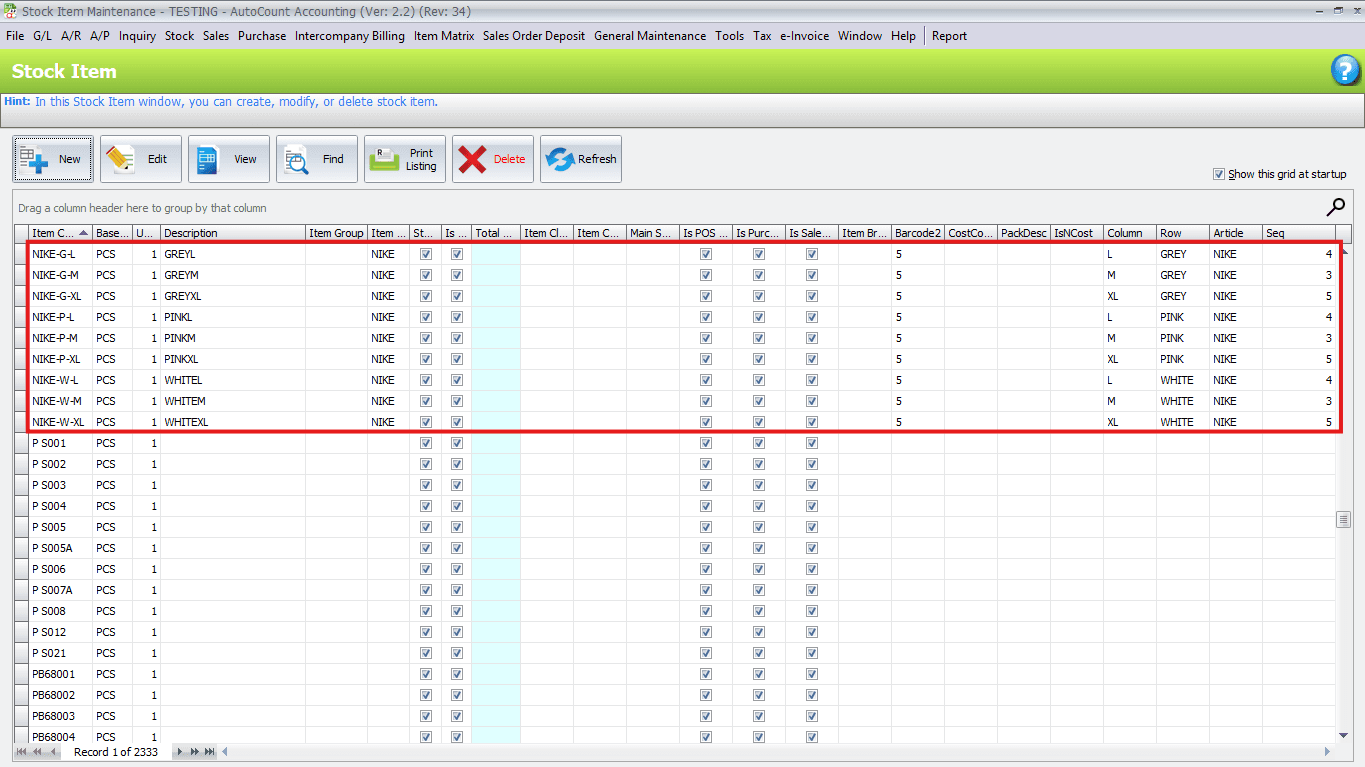
Click “Generate”. All previewed items are created permanently and saved into Stock Item Maintenance. Items are now usable in Sales, Purchase, and Stock modules.
Click "Stock" → "Stock Item Maintenance", you will see those items are added to the list.
Using Matrix in Transactions
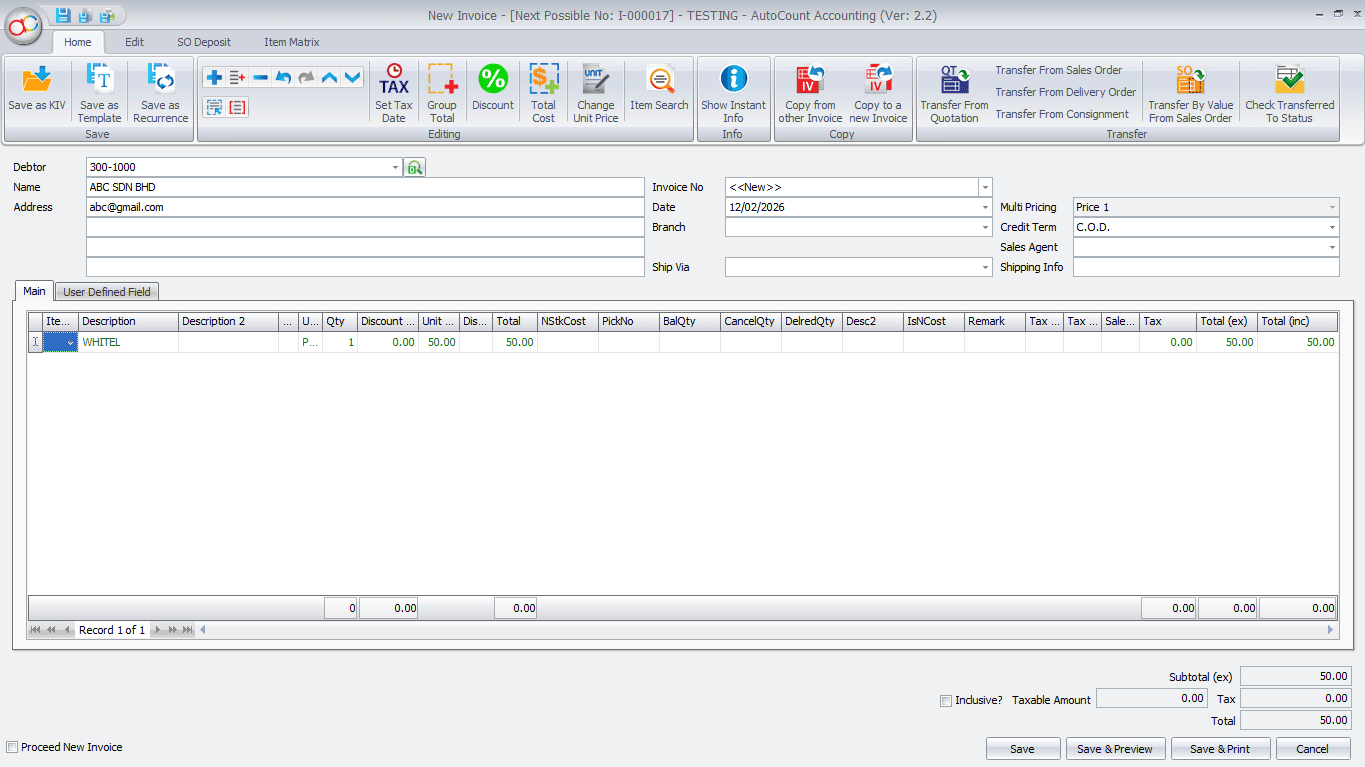
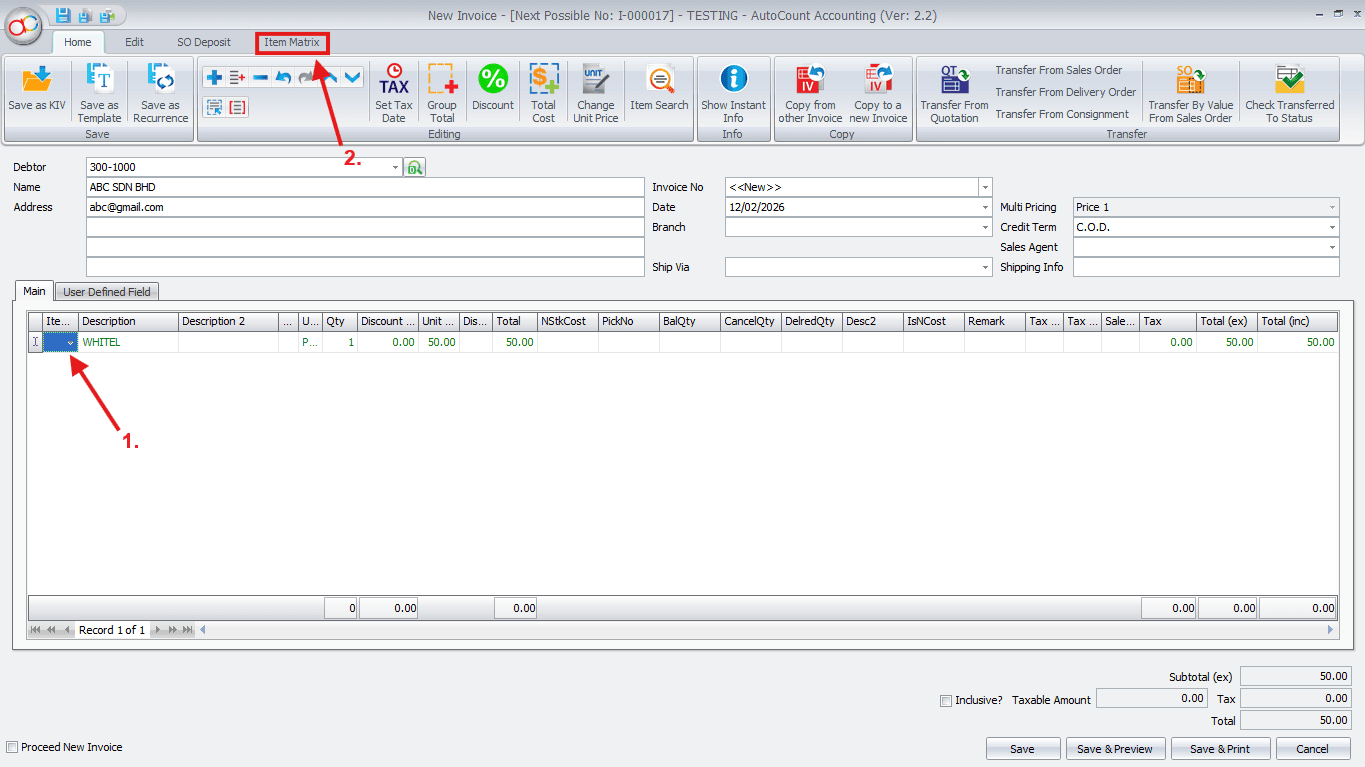
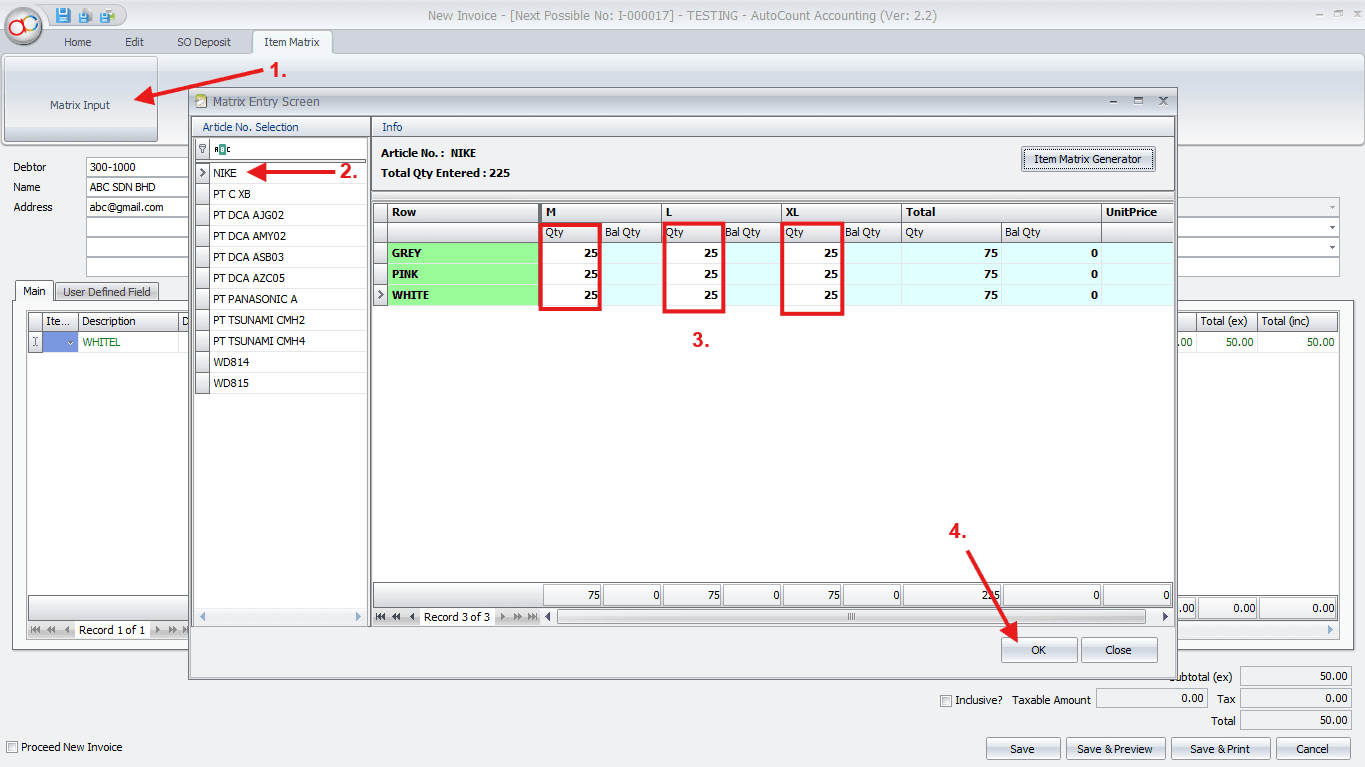
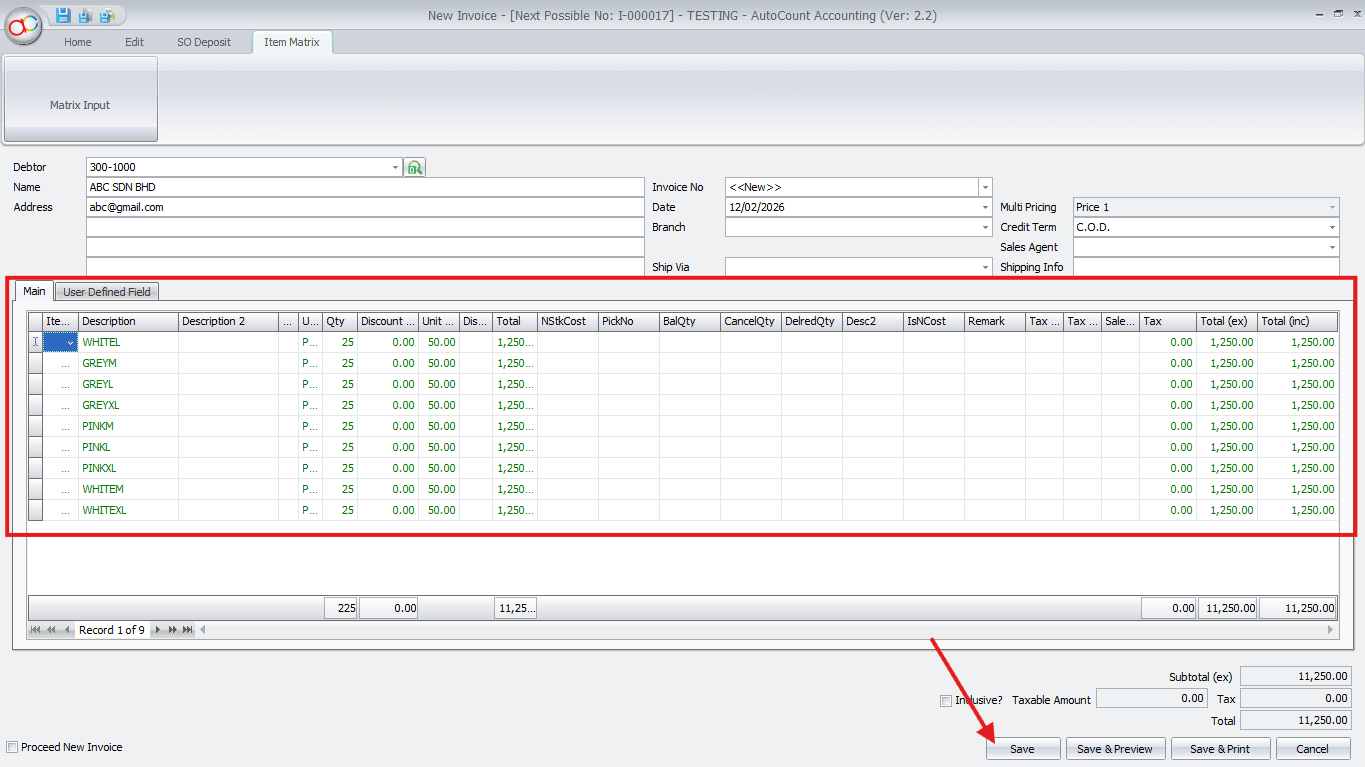
This Matrix feature is available across accounting modules. Example: Sales Invoice — create a new invoice and add matrix items.