Step-by-step How to Use This Plug-in

Before any transaction happens

The system must be configured:

  • You have installed the Intercompany Billing plugin into both account books (the Selling & Purchasing entities).
  • You have defined the relationship between the entities:
    • Which company is the “Sales Company” (Seller)
    • Which company is the “Purchase Company” (Buyer)
    • Map the Debtor in the sales company to the Creditor in the purchase company. This mapping makes sure AutoCount knows where to send the generated Invoice.

Create a new Invoice at HQ

Add an item.
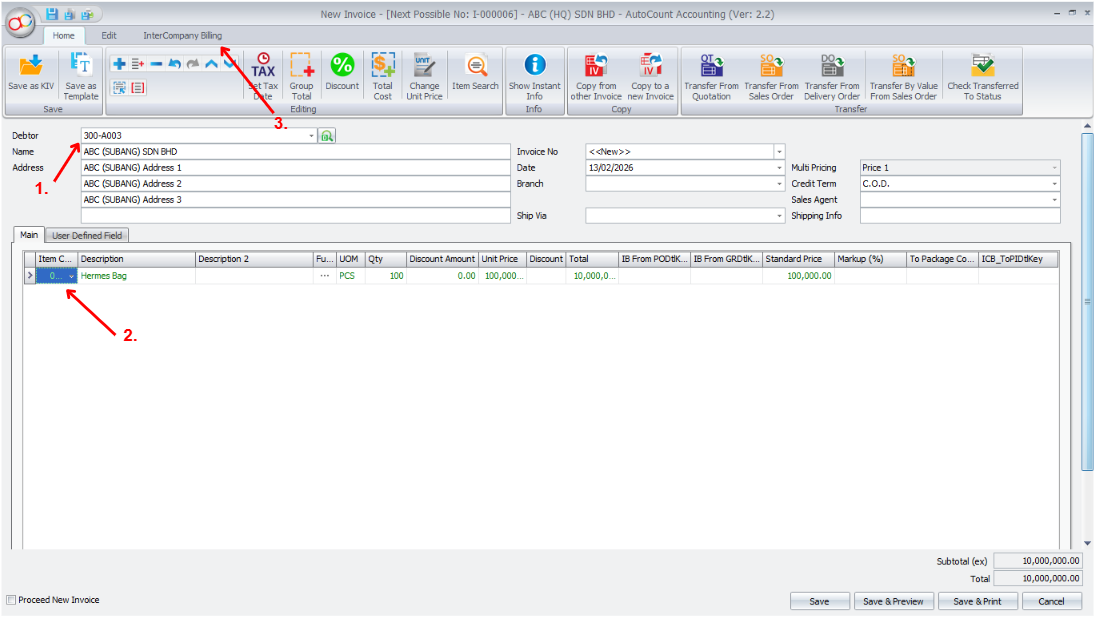
Create a new Invoice

Create a new Invoice at HQ

Click "InterCompany Billing" → "Info". Check the details and close the tab.
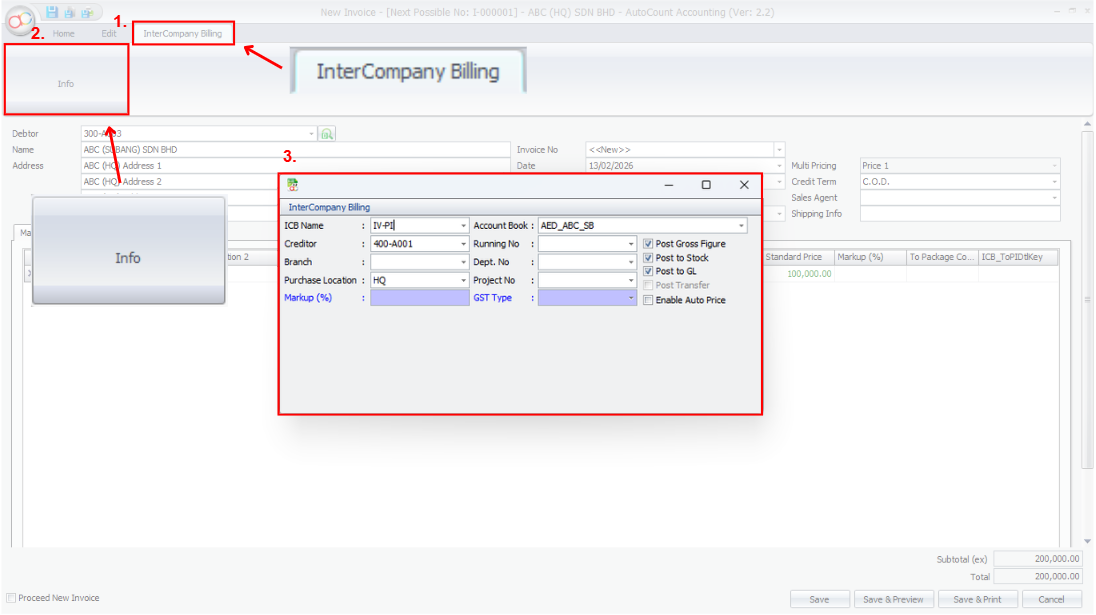
Create a new Invoice

Auto-generate Purchase Invoice

Click “save” button, system will auto-generate Purchase Invoice in linked company

System will prompt a message to the user.
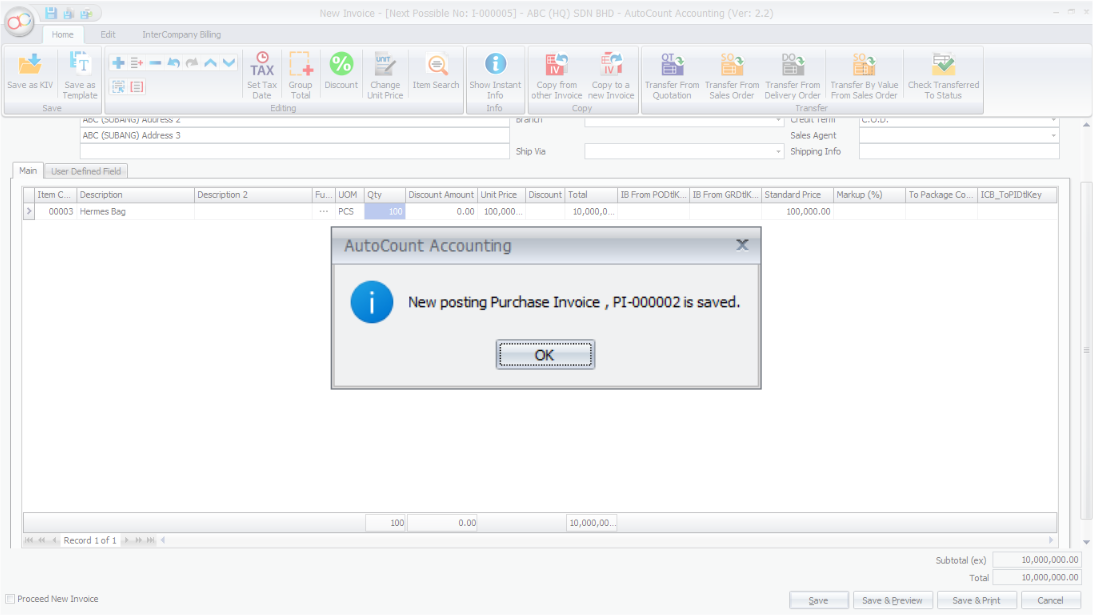
Prompt Message